
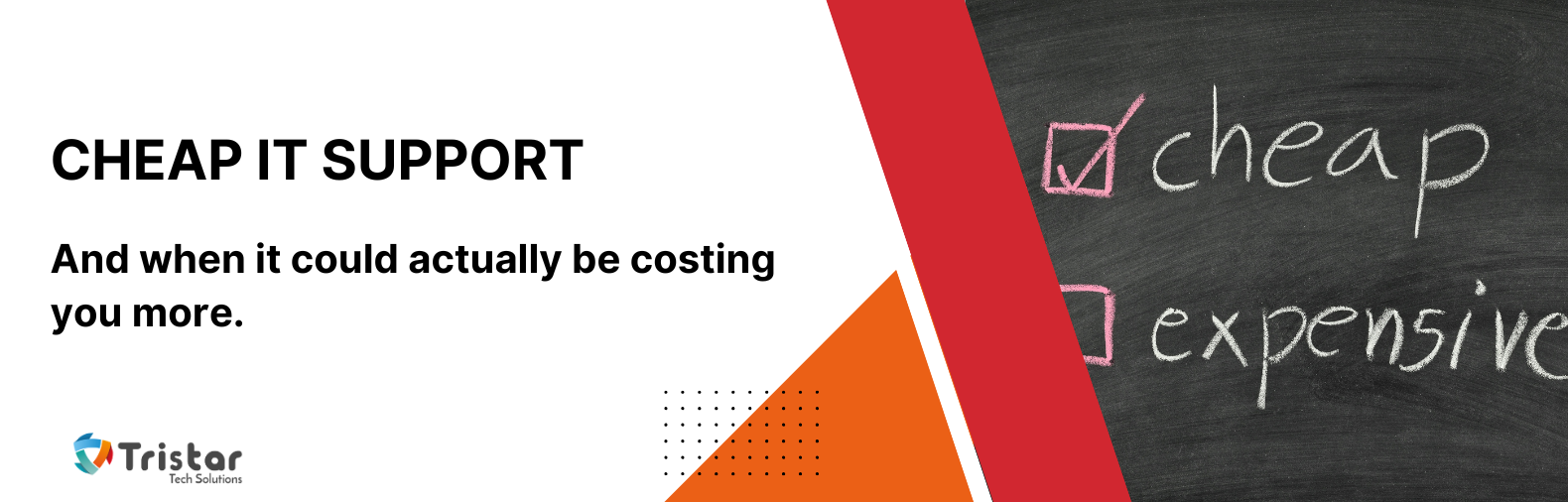
You’re reviewing your business expenses and looking for places to save money. One IT provider quotes £650 per month. Another offers what appears to be the same service for £350.
Both promise unlimited support, say they’ll monitor your systems, and mention cybersecurity.
On the surface, choosing the cheap IT support option seems like an obvious decision.
But here’s the problem: you won’t discover the real difference between those providers on a normal Thursday afternoon when everything is working. You’ll discover it when someone clicks a convincing phishing email, a server fails, or ransomware brings your business to a standstill.
The monthly support fee is one of the smallest costs you’ll ever pay for IT. The real cost of cheap IT support is what happens when your technology isn’t being properly looked after behind the scenes.
Choosing an IT provider is about much more than comparing monthly fees. In this blog, we’ll look at what actually determines the cost of managed IT support, why one provider can be significantly cheaper than another, and what those differences mean for your business. More importantly, we’ll explore what proactive IT support should actually look like, so you can make an informed decision based on value, not just price.
Why Data Breaches Are Rarely Caused by One Big Mistake
When people imagine a cyber attack, they often picture a sophisticated hacker breaking through layers of security. However, many breaches start with something far less dramatic.
Maybe a former employee’s account was never disabled, or a critical software update was delayed because nobody noticed it had failed. You may even have multi-factor authentication that wasn’t enabled for a key system, or backups that have been running for months, but nobody realised they were failing until they were needed.
On their own, none of these issues seem catastrophic. But when you combine them, they create opportunities for disaster.
Cybercriminals don’t usually need to invent new ways into a business; they simply look for small gaps that have been left unattended. That’s why cybersecurity isn’t just about buying the right software. It’s about consistently managing hundreds of small details before they become significant problems.
The Hidden Compromises Behind Cheap IT Support
To be clear, not every affordable IT provider delivers poor service, and not every premium provider delivers exceptional value. Price alone tells you very little. But if one provider is significantly cheaper than everyone else, it’s worth asking why.
The monthly cost of managed IT support isn’t arbitrary. It’s largely determined by how much skilled time, expertise and technology a provider can afford to dedicate to your business.
That’s because, despite what proposals might suggest, managed IT support isn’t a commodity. Two providers can both advertise unlimited support, 24/7 monitoring and cybersecurity, yet operate in completely different ways behind the scenes.
How providers can differ
One provider might:
- Have experienced engineers supporting fewer clients, giving them time to investigate recurring issues.
- Include enterprise-grade security, monitoring and backup platforms as standard.
- Regularly review alerts, software patches and backup reports rather than relying solely on automation.
- Maintain detailed documentation so any engineer can quickly understand your environment.
- Hold regular reviews to discuss risks, upcoming projects and opportunities to improve your technology.
Another may keep prices lower by:
- Supporting significantly more users per engineer.
- Using lower-cost monitoring or security tools.
- Spending most of their time reacting to support requests rather than preventing future issues.
- Charging extra for strategic reviews, project work or on-site visits.
Neither approach is automatically right or wrong.
Some providers genuinely become more efficient by standardising the technology they support, automating routine maintenance or negotiating better pricing on software licences. Those efficiencies reduce costs without reducing service quality, and ultimately benefit the client.
The important question is whether the lower price comes from operating more efficiently, or from allocating less skilled time to your business.
On paper, two proposals can look almost identical. Both promise unlimited support, mention cybersecurity, and include monitoring.
The difference lies in what happens when nobody has raised a support ticket.
A proactive IT partner reviews security alerts, checks backups, monitors unusual activity, identifies ageing hardware and looks for opportunities to improve your environment. But reactive providers wait until something breaks.
Imagine your office roof developed a small leak. You could wait until water starts pouring through the ceiling before calling someone, or you could repair it while it’s still a minor issue. IT works much the same way.
The businesses that experience fewer disruptions aren’t simply luckier. Their advantage is that someone is continually maintaining and improving their technology, rather than only repairing it after something goes wrong.
Security isn’t a product you buy once
It’s easy to assume that installing antivirus software is enough to keep your business protected. Unfortunately, modern cyber threats don’t work that way.
Good security is made up of many overlapping layers, including:
- Keeping your devices fully patched
- Monitoring suspicious activity
- Protecting your email from phishing attacks
- Testing your backups
- Securing Microsoft 365
- Managing user permissions
- Removing unused accounts
- Reviewing security policies regularly
- Educating your staff to recognise scams
None of these tasks is particularly exciting, and most of them won’t generate a a support ticket. Yet they’re often the activities that prevent a cyber incident from happening in the first place.
This is another reason why understanding an MSP’s operating model matters. Some providers automate many of these tasks and then regularly review the results to make sure everything is working as expected. Others may rely almost entirely on automation or only investigate when a problem is reported.
Automation is incredibly valuable, but it isn’t a replacement for experienced engineers applying judgement. Software can generate an alert. It still takes someone to decide whether that alert represents a genuine risk, whether it forms part of a wider pattern, and whether action should be taken before it affects the business.
When an IT provider has to operate on extremely tight margins, those manual reviews, preventative checks and ongoing improvements are often the first things to become less frequent.
Communication and context are essential
One of the biggest differences between a low-cost IT support provider and a long-term technology partner isn’t technical at all. It’s communication.
If your only interaction with your IT provider is logging support tickets, who’s helping you plan for next year? Who’s discussing your growth plans before you recruit another twenty employees, advising you whether your servers are approaching the end of their life, or identifying security improvements before your cyber insurance renewal?
Technology should support your business strategy, not simply keep the lights on.
Those conversations rarely happen over a remote support session. They happen through regular reviews, face-to-face meetings and an IT partner who understands how your business actually operates.
Strategic planning also takes time. It’s another part of an MSP’s service that isn’t always obvious when you’re comparing proposals, but it can make a significant difference to how well your technology supports your business over the long term.
Documentation: The invisible asset every business depends on
Good documentation is one of those things nobody notices until it’s missing.
Imagine your primary IT engineer goes on holiday and an urgent issue arises. Can someone else immediately understand how your systems are configured? Do they know where your critical systems are hosted? Can they quickly restore access if key members of staff can’t log in?
Without accurate documentation, every incident takes longer to resolve because engineers are effectively starting from scratch.
Maintaining documentation isn’t glamorous, and it doesn’t usually generate support tickets. It requires time, discipline and regular updates as your business changes.
That’s another area where different operating models become apparent. Providers that invest time in documenting your environment make it easier to support you efficiently, especially during emergencies. Those operating with very limited time per client may struggle to keep documentation as current as it should be.
Comprehensive documentation isn’t glamorous, but it dramatically reduces downtime when problems occur.
Why The Cheapest Contract Can Become the Most Expensive Decision
Imagine two businesses comparing IT providers. Both proposals appear to include unlimited support, monitoring and cybersecurity. One costs £300 less each month, so Business A chooses the cheaper option.
Over three years, they’ve saved nearly £11,000. It feels like a great return.
Now imagine they suffer a ransomware attack that closes the business for four days.
Suddenly, staff can’t work. Orders can’t be processed. Customers lose confidence. Management spends weeks coordinating recovery. Insurance claims need to be managed. Premiums increase at renewal.
Even if much of the direct financial loss is insured, the disruption, lost productivity and reputational damage can easily outweigh years of savings.
Of course, paying more doesn’t automatically guarantee you’ll avoid a cyber incident. Equally, a lower-cost provider isn’t necessarily delivering poor service.
The point is that when you’re comparing prices, you’re also comparing the level of preventative work, expertise and ongoing attention each provider is able to invest in your business. If those differences aren’t obvious during the buying process, it’s worth asking more questions before making a decision.
After all, the goal of good IT support isn’t simply to reduce your monthly costs. It’s to reduce the likelihood of expensive business interruptions in the future.
How to Tell Whether Your IT Provider is Genuinely Proactive
Not sure if you’re getting cheap IT support from a proactive or reactive provider? Don’t just compare the list of services on the proposal. Ask what sits behind the monthly fee.
Questions like these often reveal far more than whether “unlimited support” is included:
- How many users or businesses does each engineer typically support?
- How often are security alerts, backups and software updates manually reviewed?
- Do you include regular technology planning meetings, or are they charged separately?
- Is documentation of our IT environment maintained as part of the service?
- What proactive work do you carry out when we haven’t logged any support tickets?
Then dig a little deeper:
- When was our last security review?
- What improvements have you recommended in the past 12 months that we didn’t specifically ask for?
- How often are our backups tested?
- Are you actively monitoring for security vulnerabilities?
- How frequently do we review our technology strategy together?
- What risks concern you most in our current environment?
- If ransomware hit tomorrow, how quickly could we recover?
A proactive provider should be able to answer these confidently, explain why each area matters, and show examples of how they’re helping reduce risk over time.
The real value of proactive IT support
The best IT providers don’t prove their worth by fixing hundreds of problems. They prove it by preventing many of those problems from happening in the first place.
That’s harder to measure because prevention is largely invisible. You don’t see the phishing email that was blocked before it reached your inbox, or notice the software vulnerability that was patched overnight. You don’t realise a failing hard drive was replaced before it caused an outage.
But those unseen actions are often what protect your business from costly disruption.
So when you’re comparing IT providers, look beyond the monthly fee.
Ask how they operate, and how much preventative work is included. Find out how often they review your environment, how they maintain documentation, and whether they take the time to understand your business and help you plan ahead.
In many ways, managed IT support pricing comes down to one simple question: how much skilled human attention, preventative work and technical capability can your provider afford to allocate to your business?
That’s why two providers can appear to offer almost identical services while delivering very different outcomes over time.
Because cheap IT support isn’t always the least expensive choice.
Sometimes, it’s simply the invoice with the lowest number.
Do you need proactive IT support that considers the long-term health of your business over the number of quick fixes?
Our Free Partnership Review Call, you’ll get clarity about whether Tristar Tech Solutions is the right fit for your needs.
Book your free IT Review– we’ll take it from there.
Call: 01707 378455
Email: sales@tristartechsolutions.co.uk
Frequently Asked Questions
Is cheaper IT support always a bad choice? Not at all. Some providers offer excellent value. The key is understanding what services are included and whether they invest time in proactive security, strategic planning and ongoing improvements, rather than simply responding to support tickets.
Why does proactive IT support reduce cybersecurity risk? Cybersecurity is an ongoing process. Regular patching, monitoring, backup testing and security reviews help identify vulnerabilities before attackers can exploit them.
What should be included in managed IT support? A good managed IT service should include helpdesk support, proactive monitoring, patch management, cybersecurity, backup management, documentation, strategic reviews and recommendations that improve your IT environment over time.
Can a data breach really cost more than years of IT support? Yes. Even a relatively small cyber incident can result in lost productivity, business interruption, recovery costs, higher insurance premiums and damage to customer trust, making it far more expensive than the savings gained from choosing a lower-cost provider.
How can I compare IT providers fairly? Look beyond the monthly price. Ask how they manage cybersecurity, how often they review your systems, what proactive improvements they make, how they test backups, and whether they take time to understand your business goals.